Quick Facts
At a glance.
Product Name
Sal
by HelloPartner.ai
Category
Private AI for Confidential Work
macOS Workstation & iOS Companion
Price
$9.99/mo (Mac) · Free (iPhone)
Mac includes 14-day free trial · iPhone is 100% free (unsupported)
Supported Hardware
Apple Silicon (M-Series & A-Series)
Mac: M-Series (16GB+ RAM rec.) · iPhone: 12GB RAM min. (iPhone 17 Pro, Air, Duo)
Architecture
Intelligence Director (HID™)
100% on-device multi-modal engine (Metal & Neural Engine)
Cloud Dependency
Zero Servers
Runs 100% on-device. Zero telemetry, zero remote ingestion.
Status
Mac: Live · iPhone: Live
Mac direct download · iPhone on Apple App Store
Company
HelloPartner.ai LLC
Independent · Orinda, California
Product Overview
What is Sal?
Sal is a private, sovereign AI partner engineered specifically for practicing attorneys, clinicians, accountants, solo founders, and software engineers who cannot risk uploading confidential client work to corporate cloud servers. Operating 100% on Apple Silicon, Sal delivers deep analytical reasoning across both Mac and iPhone with zero token caps, zero cloud rate limits, and physically zero server infrastructure.
The Right Tool for the Job: Not every task needs local AI. Professionals continue using cloud AI for general research and public code; they reach for Sal when the material is confidential under an NDA, or when the network is unavailable.
Sal is a sovereign AI partner that lives natively on your Mac workstation and iPhone companion, running entirely on local Apple Silicon hardware. Powered by our proprietary HelloPartner Intelligence Director (HID™ Engine), she coordinates multiple AI modalities simultaneously—fast reasoning, on-device audio transcription, optical document analysis, and local visual diffusion—without memory clash, RAM thrashing, or third-party cloud roundtrips.
Using an AI assistant today typically forces professionals into an unacceptable ethical dilemma: your confidential questions become training data, sensitive client files pass through remote servers, and subscription bills climb with usage fees. Sal rejects that model entirely. Priced at a predictable, flat $9.99/month for Mac (with a 14-day free trial) and completely free for iPhone, Sal delivers truly unlimited reasoning and absolute confidentiality guaranteed by silicon architecture.
Sal is deeply integrated into your daily workflow across five specialized native modalities: File Intelligence (autonomous semantic indexing and deep RAM document pinning for 100+ page contracts), Memory Intelligence (real-time self-notes and episodic knowledge graph recall), Web Intelligence (noise-free, ad-stripped research via DuckDuckGo), Screen Intelligence (permission-controlled, on-demand optical analysis of active windows with zero cloud transmission), and Image Intelligence (high-resolution optical analysis on Mac and iPhone, plus private local diffusion generation on Mac).
With Two Devices. One Mind., Sal moves seamlessly between your desk and your pocket. Review a confidential merger agreement on your Mac, step out to court, and continue the exact same conversation on your iPhone. Memory synchronizes securely through your personal Apple iCloud account with zero intermediary servers, and can be toggled off at any time for total offline device air-gapping.
Key Differentiators
Why Sal is different.
Nearly every AI assistant built for Mac users today is designed for enthusiasts — people comfortable choosing model quantizations, configuring runtimes, and debugging GPU memory errors. Sal was engineered for the other 99%. By embracing tight macOS integration instead of pretending to be a cloud service running elsewhere, HelloPartner.ai made privacy and depth non-negotiable from day one.
-
Completely Private, by Architecture
Sal does not "phone home." She does not collect telemetry, log user prompts, or route files to HelloPartner.ai or any third party. She is architecturally incapable of it—there is no cloud endpoint to send data to. Your conversations, documents, and voice debriefs stay strictly on your physical Apple hardware. Because HelloPartner.ai maintains zero cloud servers or user data repositories, there is no remote storage or cloud repository to breach, inspect, or subpoena.
-
Accessible Monthly Pricing. Aligned Incentives.
Sal costs a flat $9.99/month for Mac (with an unconditional 14-day free trial) and is 100% free for iPhone. Unlike cloud AI companies that meter every query and face climbing datacenter COGS, Sal executes directly on the Apple Silicon hardware you already own. Heavy usage never degrades product margins or incurs rate limits—delivering truly unmetered reasoning with zero token taxes.
-
Two Devices. One Mind. (Continuous Companion Ecosystem)
Sal operates as a unified executive assistant across Mac and iPhone. Interrogate a 100-page merger agreement on your Mac workstation, step into a client meeting, and continue the exact same thread from your pocket on your iPhone. Memory synchronizes end-to-end encrypted through your personal Apple iCloud account—never passing through any HelloPartner.ai intermediary servers—and can be turned off anytime for complete device air-gapping.
-
The HelloPartner Intelligence Director (HID™ Engine)
Conventional local AI setups require multiple fragmented, uncoordinated open-source runtimes (separate apps for chat, STT, TTS, and diffusion) that violently clash for RAM and GPU threads. HelloPartner engineered the proprietary Intelligence Director (HID™ Engine) directly on Apple MLX and Metal Shaders. A single unified kernel arbitrates scheduling and memory budgets across five specialized modalities without system memory collisions or OS performance degradation.
-
Works 100% Offline with Zero Network Reliance
Because inference executes directly on Apple Silicon's Neural Engine and Metal GPU, Sal operates flawlessly in airplane mode, hospital basements, remote retreats, and courtrooms with zero cellular signal. For a high-stakes professional, having deep analytical horsepower ready anywhere—without depending on server uptime—transforms daily deep work.
-
Developer IP Protection & Terminal Tools
Software engineers and technical founders cannot risk sharing proprietary codebases or private API keys with cloud LLMs. Sal features native Terminal Tools to inspect local repositories, analyze git diffs, execute unit tests, and automate shell tasks entirely within sandboxed Apple Silicon memory—eliminating trade secret exposure while providing an autonomous coding partner.
-
Deep Document Pinning & Episodic Memory
Cloud AI models with bloated 1M-token windows frequently suffer from attention dilution and "lost-in-the-middle" recall failures. Sal solves this through disciplined systems architecture: deep RAM document pinning locks 100+ page contracts, native Apple Pages files, and PDFs into unified memory, while autonomous background note-taking synthesizes past sessions into an associative local knowledge graph. The result is laser focus and cross-week contextual recall with zero hallucination bloat.
-
"Off the Record" Discretion (Zero-Trace Incognito)
For sensitive tangents, confidential brainstorming, or one-off queries that shouldn't persist in long-term memory, Sal offers an instant "Off the Record" mode. Sal maintains full conversational fluency during your active session, then permanently purges the entire exchange the moment you clear chat or close the app—leaving zero trace across devices.
“If material is confidential, sending it to a personal ChatGPT or Claude account may disclose it to an unapproved third party. Professionals shouldn’t have to choose between AI productivity and contractual compliance. Sal runs 100% on Apple Silicon—with zero servers, zero token caps, and zero third-party data custody.”
Neil Balthaser
Founder & CEO, HelloPartner.ai
Demo Video
See Sal in action.
Screenshots & Media
Available for editorial use.
↓ Download full-resolution image
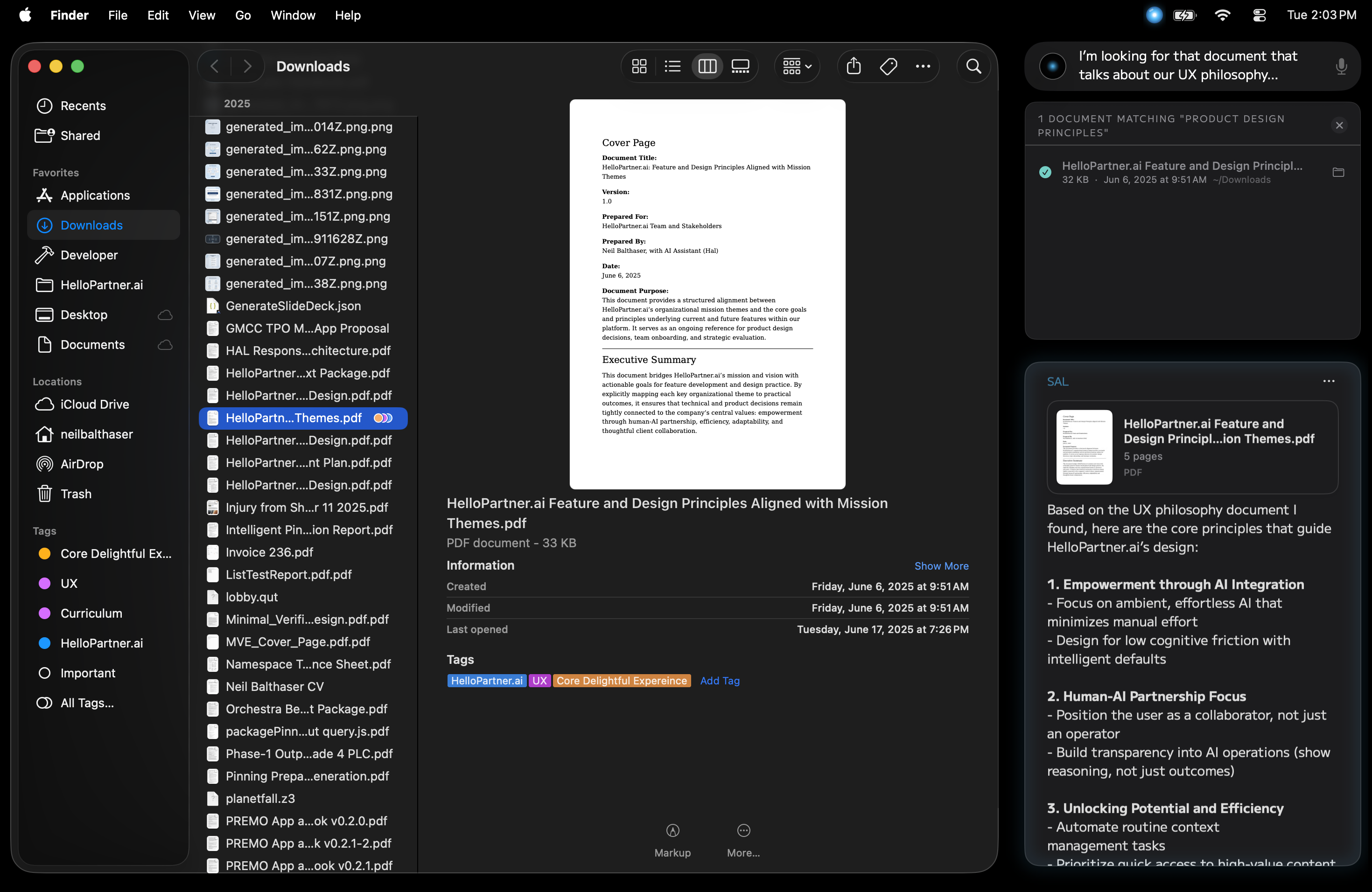
↓ Download
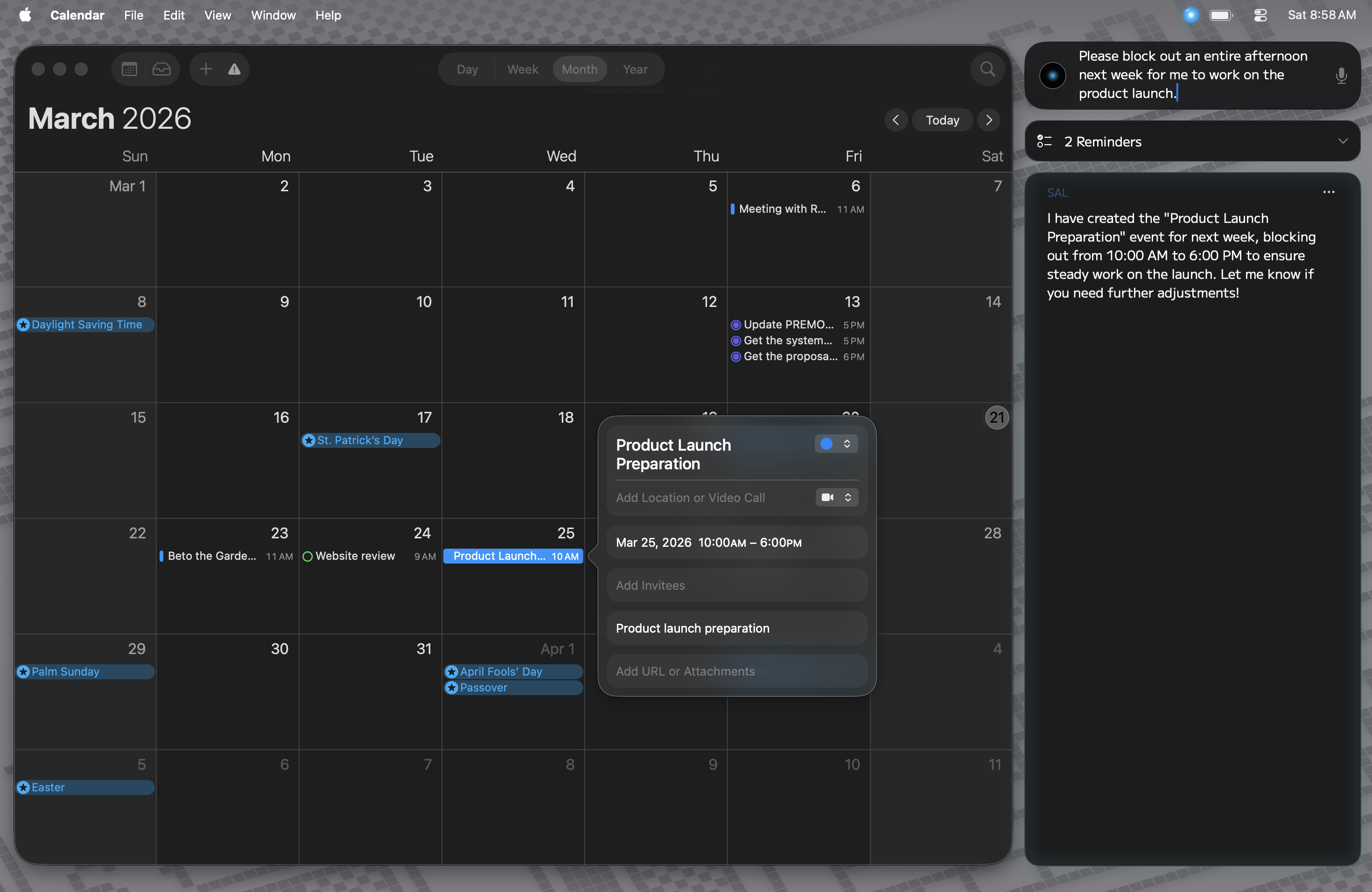
↓ Download
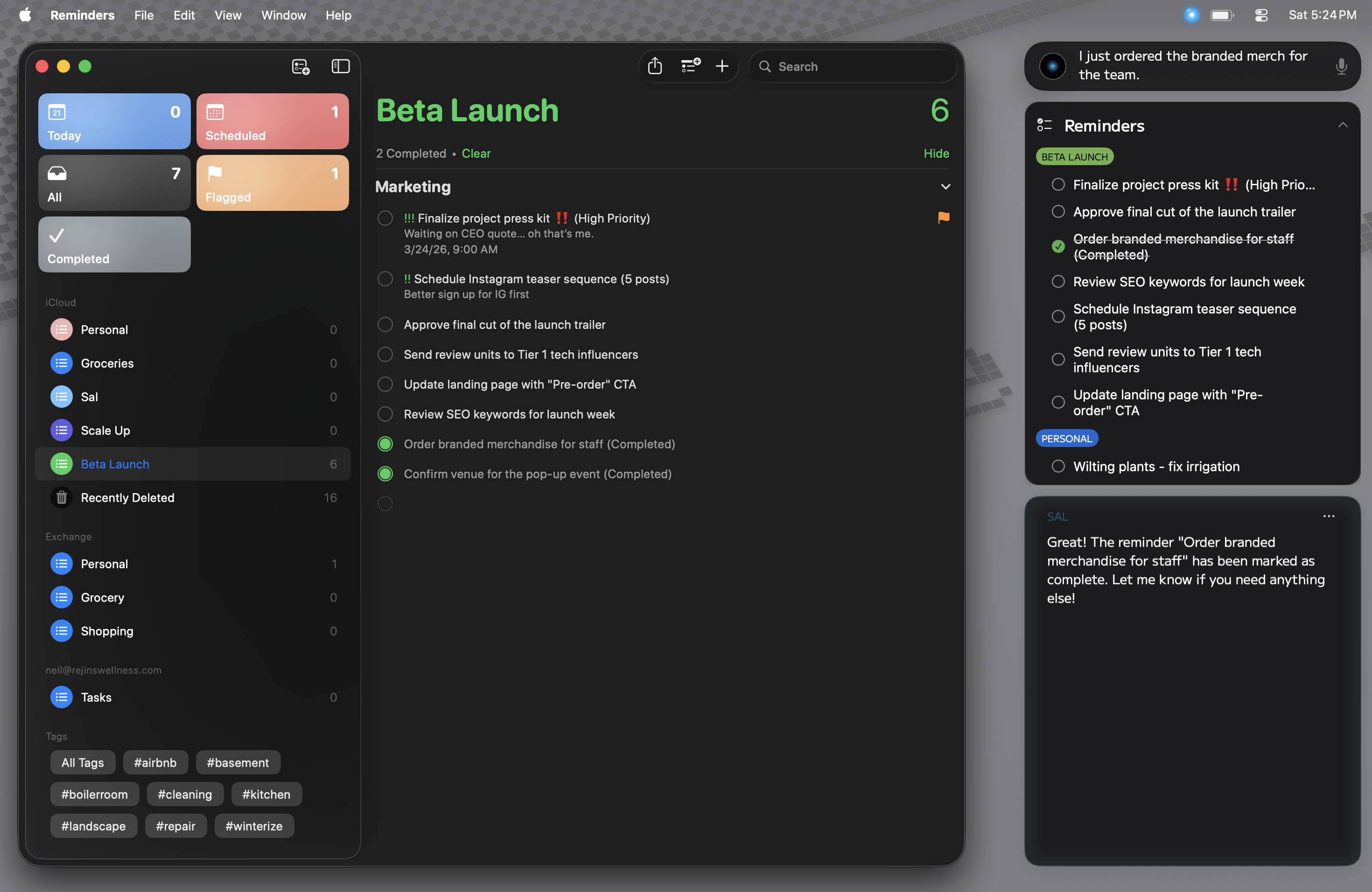
↓ Download
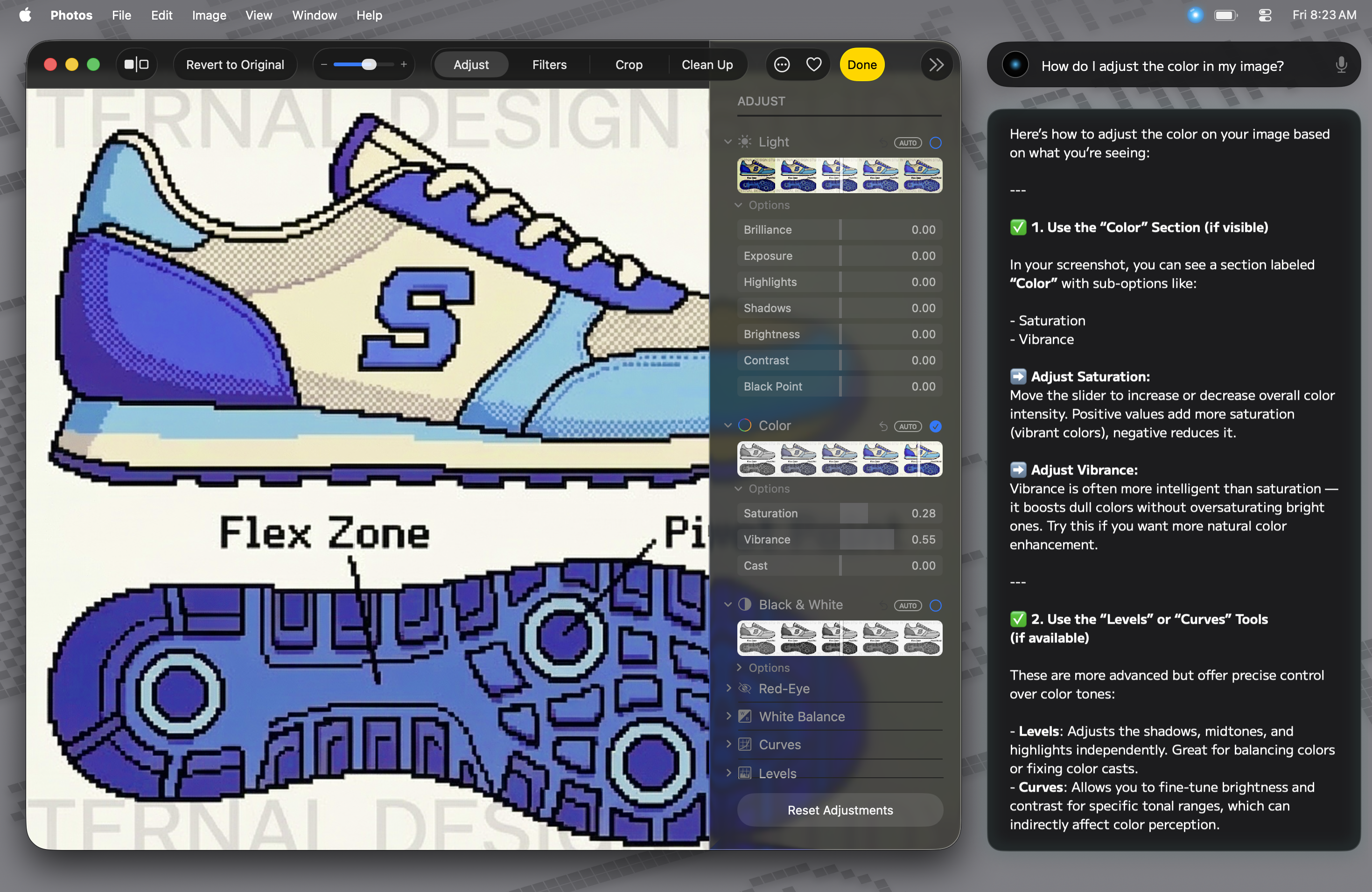
↓ Download
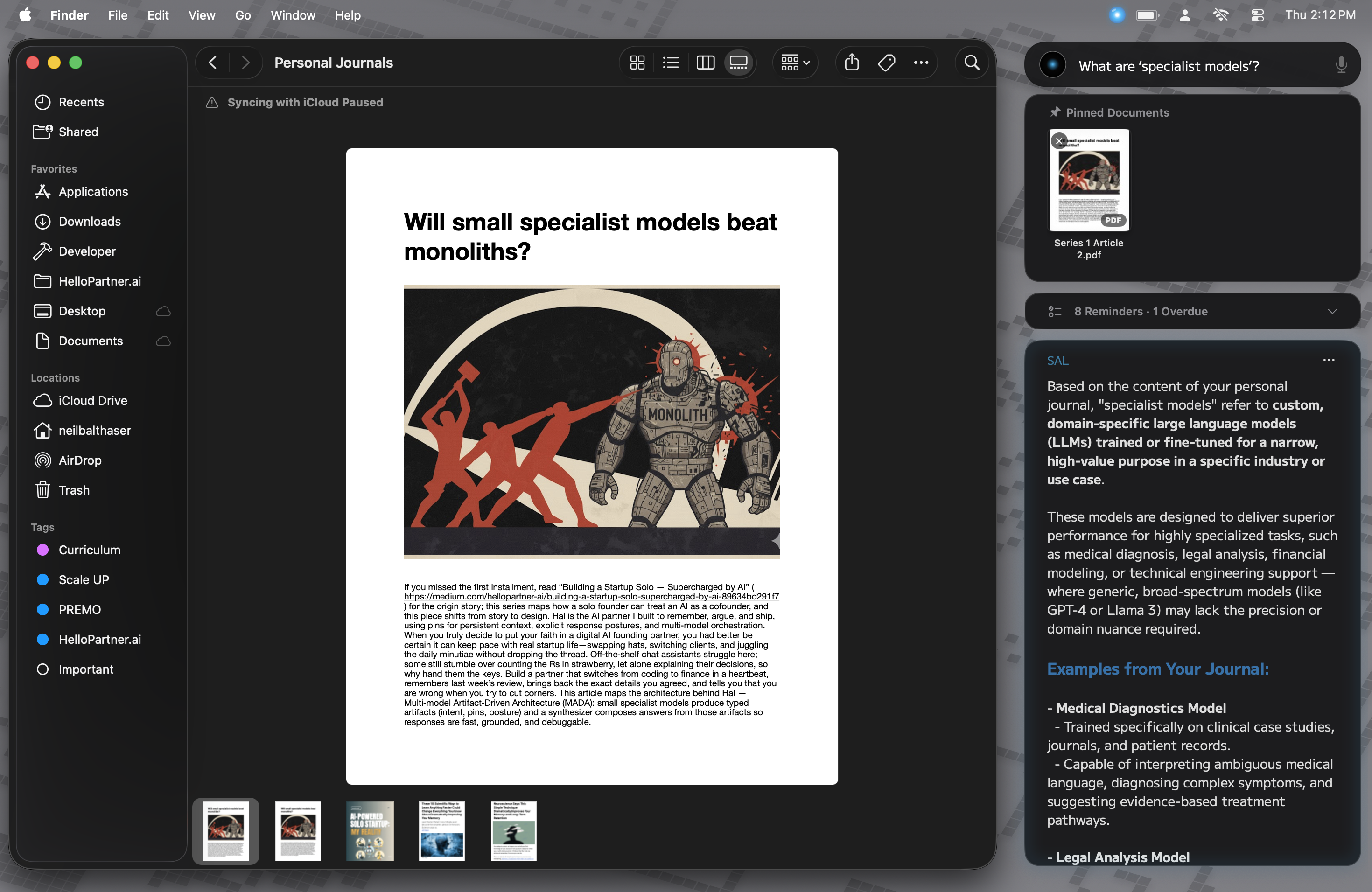
↓ Download
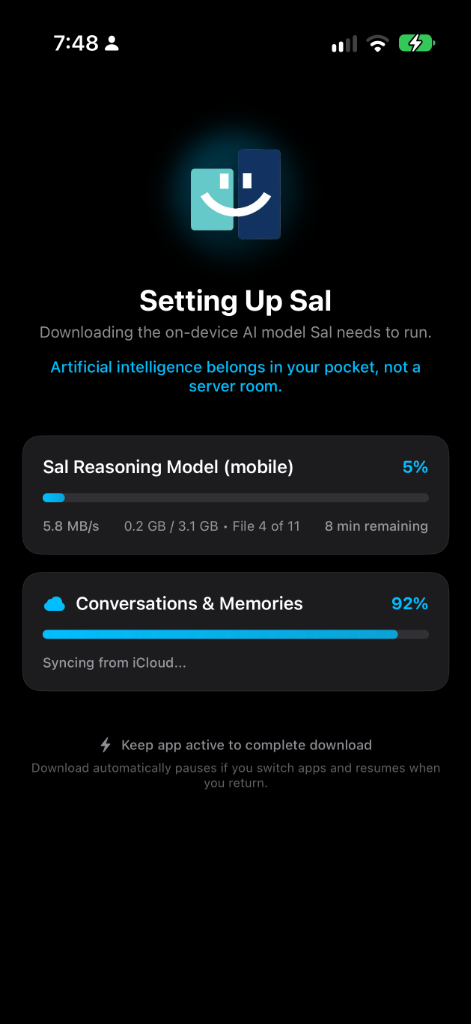
↓ Download
All screenshots are approved for editorial use with attribution to HelloPartner.ai. High-resolution originals are available upon request. Do not crop, composite, or alter screenshots beyond standard color correction.
Technical Specifications
Under the hood.
Read the full technical specification
| Specification | Detail |
|---|---|
| AI Models (on-device) | Frontier open-weight foundation models · Desktop executive models rival or exceed leading cloud benchmarks (including Gemini 3.8 Flash offline) · Details available to verified press upon request · Not disclosed publicly |
| Image Generation | On-device native diffusion model · High-resolution generative imaging offline without remote API calls · Optional download |
| Inference Engine | The HelloPartner Intelligence Director (HID™ Engine) · Custom-built, proprietary inference daemon built directly on Apple MLX & Metal · Unifies all 5 specialized modalities (File, Memory, Web, Screen, Image) in a single sovereign runtime · Zero third-party runtime dependencies |
| Mac Hardware | Apple Silicon (M1, M2, M3, M4) · 16GB+ unified memory recommended (operates on 8GB base configurations) |
| iPhone Hardware | iPhone with 12GB RAM required (iPhone 17 Pro, 17 Pro Max, iPhone Air, iPhone Duo with dual-screen support) · Runs 100% on-device companion intelligence with zero cloud telemetry |
| Operating Systems | macOS 14 (Sonoma) or newer (optimized for macOS Sequoia and later) · iOS 18+ for iPhone companion |
| Storage Required | ~15–24GB depending on installed desktop model weights · Lightweight companion footprint on iOS |
| Network Requirement | None (after initial model download). Fully air-gapped capable on Mac. iPhone companion operates 100% offline. |
| Continuity & Sync | Private, end-to-end encrypted Apple iCloud sync · Seamlessly synchronizes conversation context, pinned notes, and episodic memory between Mac and iPhone with zero intermediary servers |
| System Integration | Calendar · Reminders · Local File System (semantic indexing & code analysis) · Native Apple Pages & PDF Pinning · Screen (Ephemeral Sight, explicit-invite only) · Native Audio Transcription |
| Information Retrieval | Autonomous on-demand web search via DuckDuckGo (private, no tracking) · URL content ingestion · Past conversation semantic search |
| Privacy Architecture | Zero cloud telemetry · Zero server data collection · Physically zero remote infrastructure · Zero vendor data custody · 100% compute sovereignty |
| Licensing & Pricing | Mac: $9.99/month (14-day free trial) · iPhone Companion: Free (unsupported) · Unlimited personal use, zero per-token metered billing |
| Updates | Automatic via Sparkle (appcast-based) · No usage tracking or telemetry in update checks |
| Distribution | Mac: Direct download notarized & code-signed by Apple · iPhone: Apple App Store |
About the Founder
Neil Balthaser.


Neil Balthaser is a 20-year veteran of enterprise software with deep roots in constrained-resource execution and systems engineering. Beginning in video game development where 60fps frame deadlines, strict memory budgets, and zero cache misses were sacred, Neil went on to co-create the Flex programming language at Macromedia/Adobe, architecting high-performance enterprise runtimes inside the constrained Flash Player virtual machine.
He subsequently founded Intellogo (acquired in 2018), pioneering early enterprise machine learning and "Conversation as a Platform" models, before serving in senior executive product roles at Adobe and Barnes & Noble. Frustrated by the enterprise liabilities, data leakage, and recurring cloud bills of modern subscription AI, Neil brought video game runtime discipline to Apple Silicon, engineering Sal and the HelloPartner Intelligence Director (HID™ Engine) to deliver uncompromised, zero-custody confidential AI directly to knowledge workers, solo founders, and enterprise professionals.
About HelloPartner.ai
Company boilerplate.
Standard Boilerplate — please use verbatim
HelloPartner.ai is an independent software company dedicated to building sovereign, confidential artificial intelligence for solo founders, consultants, attorneys, developers, and knowledge workers. The company’s flagship product, Sal, is a confidential AI companion running across macOS and iOS on Apple Silicon. Powered by the proprietary HelloPartner Intelligence Director (HID™ Engine) built on Apple MLX and Metal, Sal operates with zero cloud servers, zero telemetry, and zero token caps ($9.99/mo Mac with 14-day free trial; free on iOS). By running frontier-class intelligence locally and synchronizing across devices exclusively via end-to-end encrypted private iCloud, Sal delivers uncompromising productivity with zero third-party data custody. For more information, visit HelloPartner.ai.
Media Contact
Let's talk.
Press & Media Inquiries
We welcome interviews, demos, product reviews, and editorial access. Embargo requests will be honored. We can typically facilitate screen-sharing demos for review purposes — please reach out to schedule one.
For review units (early access builds), press assets, or additional high-resolution photography, please contact us directly.
Typical response: within 24–48 hours